
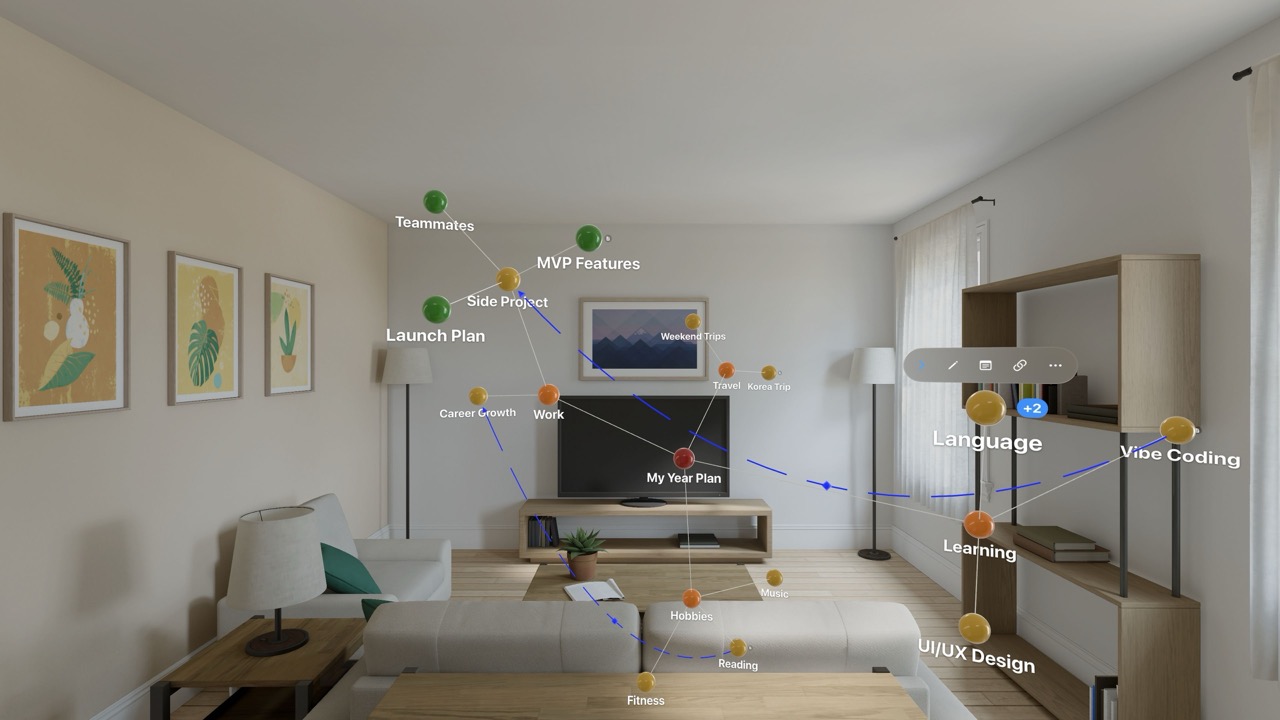
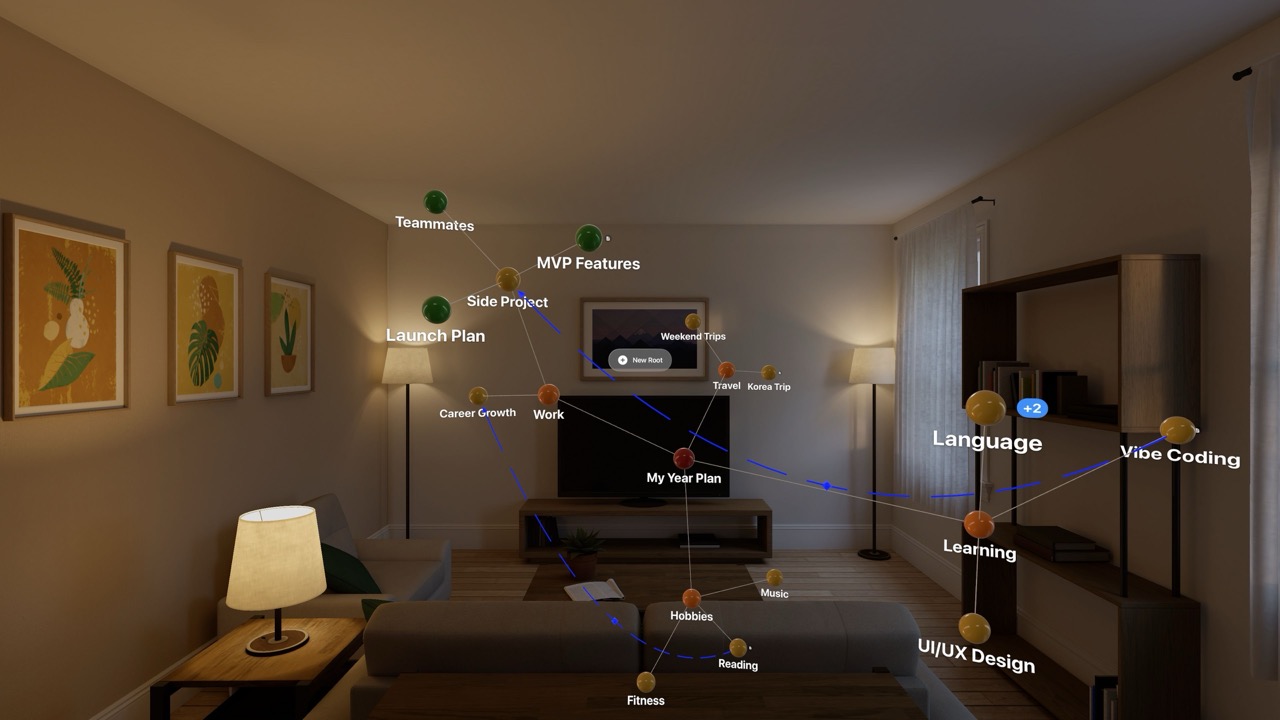
Screenshots

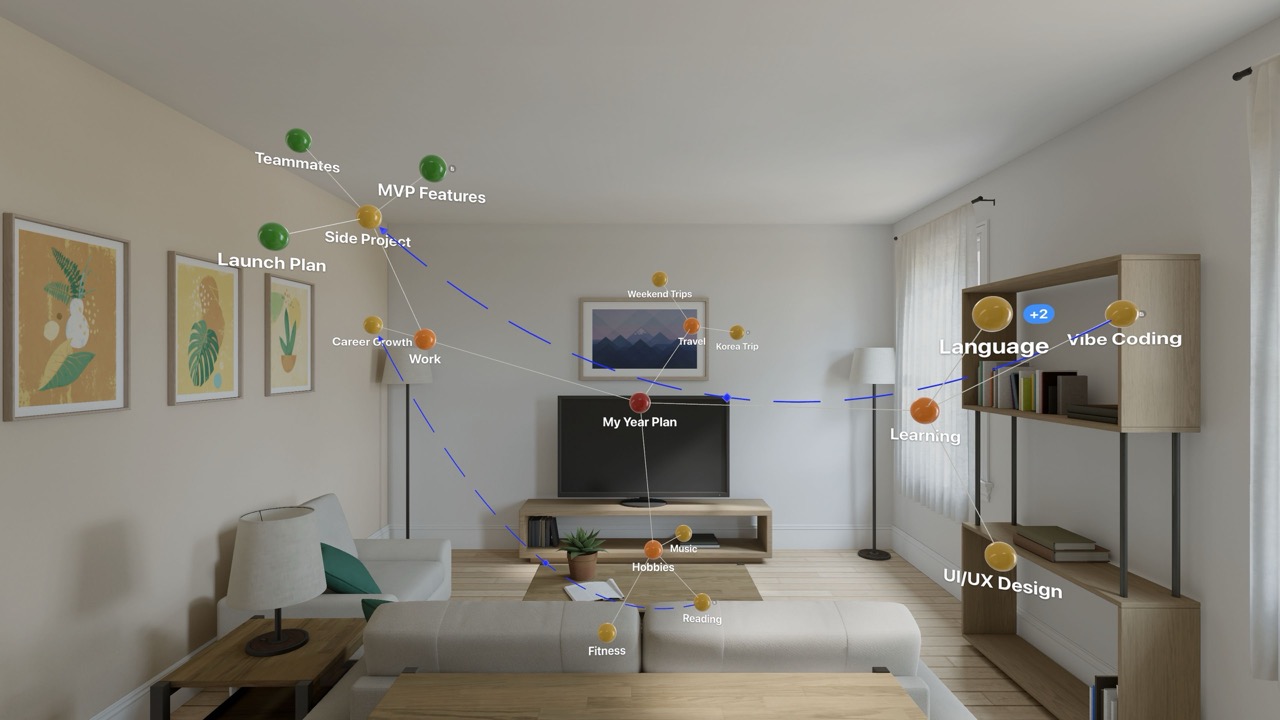
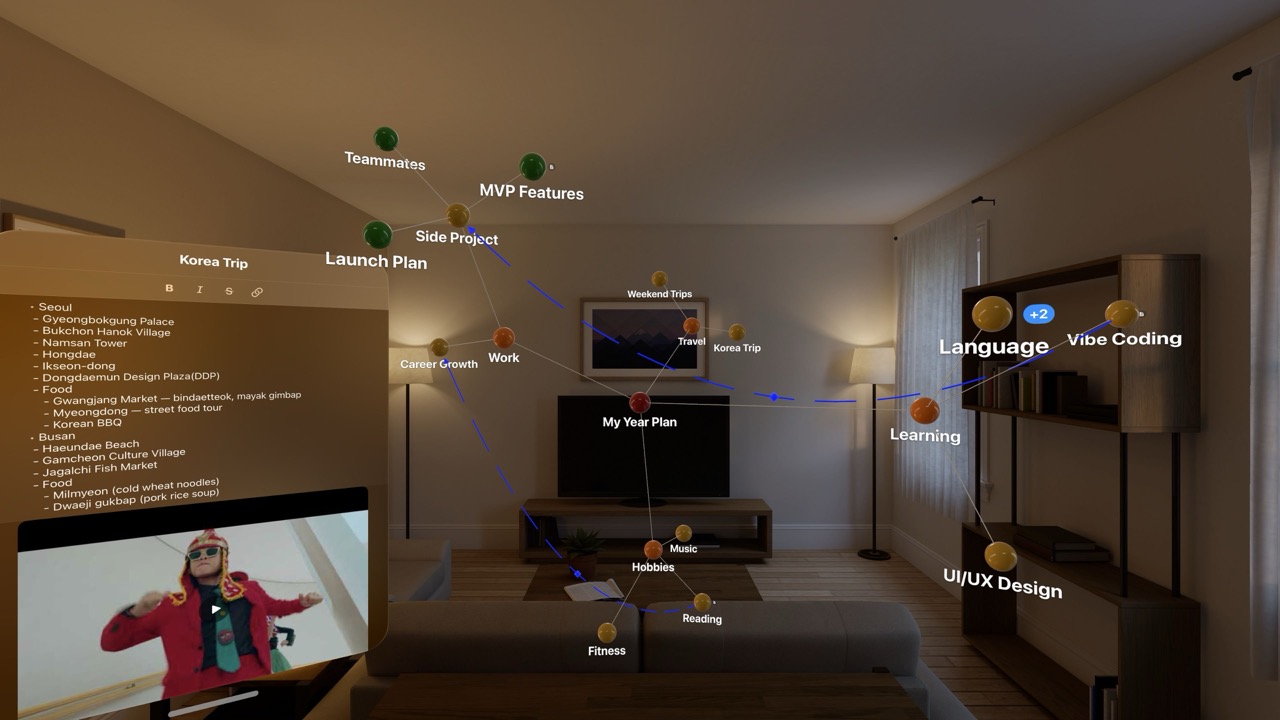
Spatial Mind Map & Brainstorm screenshotSpatial Mind Map & Brainstorm screenshotSpatial Mind Map & Brainstorm screenshotSpatial Mind Map & Brainstorm screenshot

App Preview

You didn't buy a spatial computer just to use flat iPad apps.

Unlike other mind-mapping tools ported from iOS or macOS, Anamor was born in spatial computing. Built from the ground up for Apple Vision Pro, it turns your room into an infinite 3D canvas where ideas come alive.

Experience the only mind map designed exclusively for your eyes and hands, not a mouse and keyboard.

Get Started in Seconds

A guided tutorial walks you through everything, pinch, drag, and explore, the moment you open the app. Plus, a ready-made sample project lets you experience spatial mind mapping right away, no setup needed.

Native Spatial Experience

Forget 2D windows. Create, arrange, and connect ideas in a fully three-dimensional space. Anamor uses the true power of visionOS to let you think the way your brain actually works, in every direction, not just left to right.

Developer

Are you the owner of this app?

Embed this badge and get a backlink to your website for increased visibility. Read more about the Featured Badge.


Apps for Apple Vision Dark Badge
Apps for Apple Vision Light Badge

Other apps you might like

MenuToDo is the simple kanban task manager that lives in your Mac menu bar and syncs with iPhone, iPad, Apple Watch and Apple Vision Pro.


Your tasks are always one click away so you can manage your workflow without opening a full app or switching windows.


View your work in a clean kanban board with three columns To Do, In Progress and Done.


Drag and drop tasks to update status instantly and stay focused on what matters most.


With iCloud sync, widgets and a built in calendar, MenuToDo keeps your tasks organized across all your Apple devices while keeping your data private.

MenuToDo: Kanban Task Planner

MenuToDo is the simple kanban task manager that lives in your Mac menu bar and syncs with iPhone, iPad, Apple Watch and Apple Vision Pro.

JarVS brings multi-window VSCode to Apple Vision Pro. Open as many floating editor windows as you need, arrange them in space, and run AI coding agents in each one simultaneously.


How it works:


Install the free macOS host app: it lives in your menu bar and manages VSCode Server. Open JarVS on your Apple Vision Pro, and your macOS device appears automatically. Connect, and tap any project to open it in a new spatial window.


Built for AI-assisted development:


Create a git worktree per task. Open each in its own window. Launch Claude Code, Codex, OpenCode, Aider, or any terminal-based agent in each one. Watch them edit, refactor, test, and build features across your codebase at the same time.


Key features:
- Open unlimited floating VSCode windows.

- Remote connections: Leave your macOS (or Linux!) device at home and go work with your Apple Vision Pro.

- Git worktrees appear as separate windows. One tap to open.

- Works with any AI agent or extension that runs in VSCode or in the Terminal.

- Pin a projects widget to a wall to open it easily.

- Work on your host, continue where you left off on the Apple Vision Pro, and hop back on your host seamlessly.


Getting started takes under a minute:
- Install the macOS host app (free).

- Make sure both devices are on the same WiFi.

- Open JarVS on the Apple Vision Pro, your macOS device appears automatically.

- Browse your projects and start coding.


Requirements:
- A macOS device running the JarVS Host menu bar app.

- Both devices on the same local network.

- VS Code Server.

JarVS

JarVS brings multi-window VSCode to Apple Vision Pro.

Experience the next chapter of reading with physical bookshelves and books: Enjoy and display EPUB, CBR, CBZ, and PDF files from your local library.


Loose Papers is the app where your books are tactile and realized in an unprecedented fidelity. Materialize an elegant and resizable bookshelf and mold it to fit your space. Then tap to open a book that feels real: papers that bend, covers that flex, and a sense of depth and progress that digital reading usually forgets. Loose Papers blends the comfort of traditional reading with the power of VisionOS, giving you a high-tech, portable library right in Shared Space.


Built for reading first, Loose Papers brings physicality back to digital books: papers bend, settle, and move as you pinch, tap, or drag. Add a soft reading light, bookmark what matters, and return to your latest chapter instantly.


READ YOUR LIBRARY, YOUR WAY:
- Import DRM-free EPUB, PDF, CBZ, and CBR from Files (local or cloud)

- Streamed importing for larger files, faster load times, and reduced storage impact

- A bookshelf you can place anywhere, optionally pinned to the wall

- Recent Books shelf that updates automatically

- Long-press to sort, organize, or remove books with seamless file management


MADE FOR IMMERSION:
- Procedural page turns and realistic deformation

- Configurable reading light for low-light environments

- Bookmarks for fast returns to important sections

- OCR with text-to-speech for accessible reading

- Centerfold mode for comics and magazines

- Smart page numbering that respects real layouts (front matter included)

Loose Papers

Experience the next chapter of reading with physical bookshelves and books: Enjoy and display EPUB, CBR, CBZ, and PDF files from your local library.