











apple vision pro app list

vision pro apps

Apps For Apple Vision Pro

Discover spatial computing apps. Enjoy groundbreaking immersive experiences, explore new universes and get to know visionOS apps that are available on Apple Vision Pro.

This website is not associated, endorsed or sponsored by Apple. It is a product of love made by developers to support the visionOS developers all over the world.

As seen on

appgefahrentweaktown9to5Macitavisenimagazinenotebook checkiphonfriphonfr

Featured Apps

Here are the apps that we think you should install and try out first on your Apple Vision Pro

Latest Vision Pro Apps

Apple Vision Pro apps that were posted recently on our platform.

minimap turns the devices you already own into a live, holographic 3D map of your home — a real-time map you can see straight through. Set up spare phones or tablets as cameras, then watch people moving through your space appear as live 3D reconstructions on a floor plan you scan yourself, so you take in the whole place at a glance.


SEE YOUR SPACE
minimap is X-ray vision for your home. Each camera detects people in frame and streams a live depth reconstruction to your 3D floor plan.


FOR YOUR EYES ONLY
Your home stays yours. Live person data streams directly between your devices on your network, signed in to the same account — never via our servers.


HOW IT WORKS


- Scan a floor with your LiDAR-equipped phone or tablet

- Put a spare device in any room as a camera

- Open the map on any device and watch, live, in 3D


CLASSIC & SUPER
minimap CLASSIC is free: one camera, one floor. Upgrade to SUPER for up to three cameras and three floors — cover more of your home at once.


REQUIREMENTS
Floor scanning needs a Pro device with LiDAR. Camera mode needs a spare device with a camera. All devices must be signed in to the same account on the same local network.


minimap SUPER is an auto-renewing subscription, available monthly or annually.


Payment will be charged to your Apple Account at confirmation of purchase. The subscription automatically renews unless canceled at least 24 hours before the end of the current period. Your account will be charged for renewal within 24 hours before the end of the current period. You can manage and cancel your subscriptions in your App Store account settings after purchase. Any unused portion of a free trial period, if offered, is forfeited when you purchase a subscription.


Terms of Use (EULA): https://1984.dev/minimap-Terms.html
Privacy Policy: https://1984.dev/minimap-Privacy.html

minimap: Home 3D Camera

minimap turns the devices you already own into a live, holographic 3D map of your home — a real-time map you can see straight through.

Railway King turns your real table or floor into a living model railway, part cozy diorama and part railway tycoon. You inherit a struggling little railway in 1830 and grow it into a three-line empire across nearly two centuries.


Drag straight and curved track from the tray onto the grid with your hands. The moment a line is complete, a closed circuit or a simple A-to-B run, the train sets off on its own. Place houses for residents and a mill or office for them to commute to, and the little figures ride your line and pay their fares. Fares go up with distance, so it pays to spread your stations out.


Each year the board grades your costs against your income. Beat the target for a dividend, then reinvest in longer carriages, faster engines, bigger platforms and more land. History arrives year by year: Railway Mania, the strikes that push wages up in 1872, the great merger of 1923 that grants you a second line, nationalisation in 1948 that grants the third, the mass line closures of the 60s, the oil crisis, privatisation. Each one is something you have to deal with. Climb the ladder of noble ranks and you are crowned The Railway King.


The layout lives in a volume you place wherever you like, so you can crouch down and watch the train pass at eye level. Fourteen Game Center achievements and a leaderboard race every player to the crown in the earliest year.


Free to download and free to start, with a one-time unlock for the full campaign.

Railway King

Railway King turns your real table or floor into a living model railway, part cozy diorama and part railway tycoon.

A spatial memory game for Apple Vision Pro with focused boards, colorful themes, and satisfying card flips.

MemoCardFlip

A spatial memory game for Apple Vision Pro with focused boards, colorful themes, and satisfying card flips.

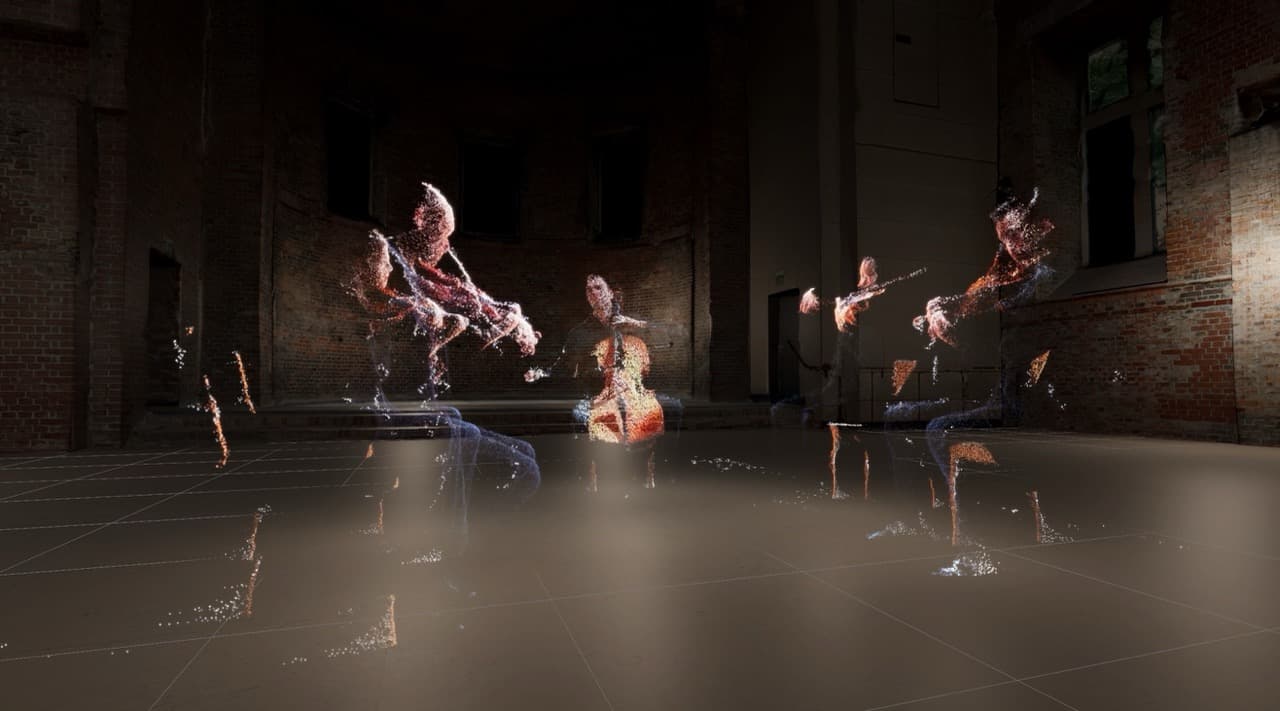
Step inside real events brought to life as immersive 3D experiences built for Apple Vision Pro.


This is not a video on a screen. Each experience surrounds you with life-sized environments, spatial sound, realistic scale, and cinematic storytelling. Instead of watching from the outside, you are placed at the center of defining moments as they unfold around you.


Explore real events recreated with atmosphere, realism, and a powerful sense of presence. Look around freely, feel the scale of the world, and witness characters, creatures, and dramatic scenes as if you were there.


Some characters and creatures can sense your presence, making each world feel more alive, personal, and immersive. Every scene is designed to feel memorable, emotional, and cinematic in a way only Apple Vision Pro can deliver.


Experience the past in a way you do not simply watch.


Step inside it.

Pulse of Time

Step inside real events brought to life as immersive 3D experiences built for Apple Vision Pro.

Comic Vision is a comic and manga reader for Apple Vision Pro, built in the spirit of ComicRack - a library manager for users who want to maintain their collection with a great reading experience.


Supports CBZ, CBR, ZIP, RAR and PDF.


Features:
- Open comics and manga in their own window

- Dismissible reader UI that gets out of the way. When hidden, only the pages are in front of you

- Optional 3D page turn animation

- Right-to-left reading for manga, left-to-right for comics

- Vertical reading mode for webtoon-style comics, manga, and manhwa

- Gaze to scroll and gaze to turn page

- Metadata entry for individual books

- Per-page controls and metadata: add notes, adjust page rotation, set page type, and control if a single image is actually a double page spread

- Bulk metadata editing: assign series, authors, publishers, or other relations across many books at once

- Library views for all entity types: all comics, all series, all publishers, all authors, and more

- Local file library - your books stay on your device


Learn more at https://comicvision.app.


Comic Vision is in active development. Feature requests and feedback help shape what comes next. Feedback and requests are welcome at https://community.comicvision.app.

Comic Vision

Comic Vision is a comic and manga reader for Apple Vision Pro, built in the spirit of ComicRack - a library manager for users who want to maintain their collection with a great reading experience.

Frequently Asked Questions

Subscribe to A4AV Newsletter

Do you want to stay updated with the newest and greatest Apple Vision Pro apps? Do you want to test these apps before they hit the market? If so, then subscribe to our newsletter.

Weekly digest
Every week receive a digest of the newest and most popular apps released for Apple Vision Pro by indie developers.
No spam
We promise to never spam you. We will only send you emails that are relevant to you.