
Screenshots

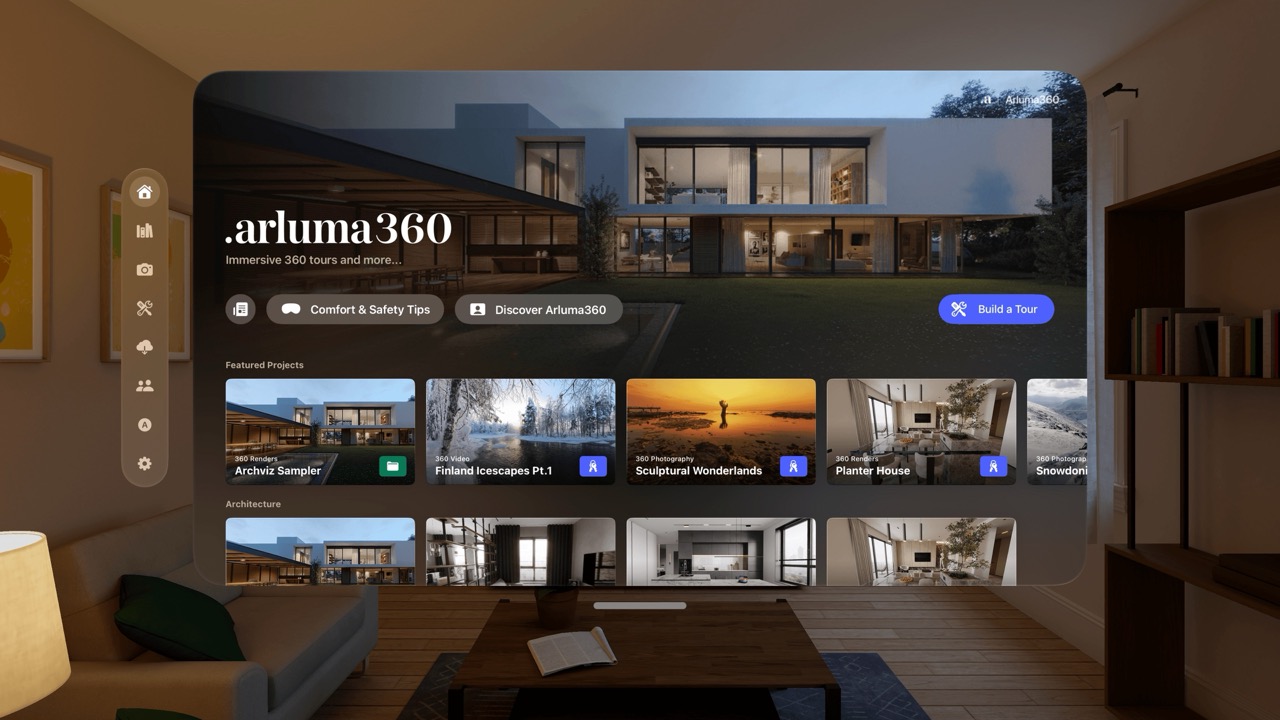
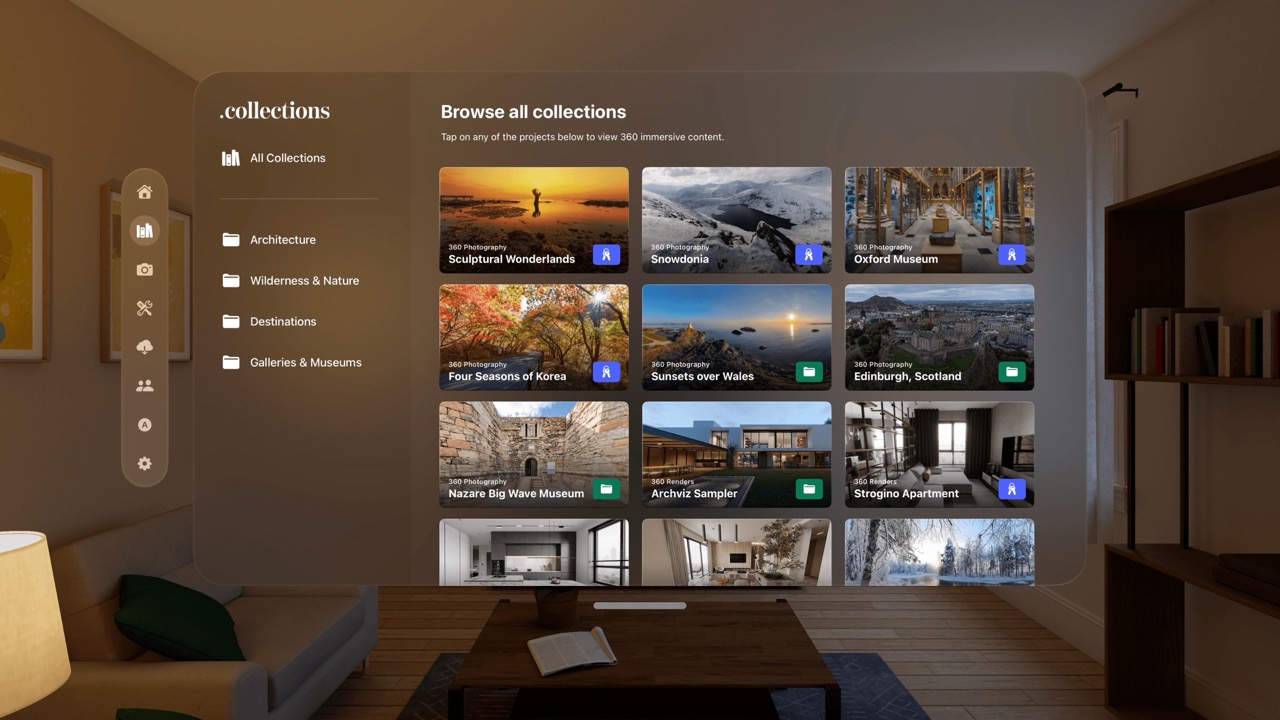
Premium Immersive 360 Tours screenshotPremium Immersive 360 Tours screenshot

App Preview

Arluma360 offers high quality immersive tours, purpose built for the Apple Vision Pro. Optimized for user comfort, with a beautifully designed and intuitive user experience.

Featuring 360 photography and video from around the world. Discover wilderness and nature projects, iconic destinations and more. Explore galleries and museums and learn about the locations through our supplementary content, including maps, images galleries and 2D video content.

Our unique rotation menu allows you to sit back and explore, by simply tapping the relevant buttons that allow you to move the world around you.

Developer

Are you the owner of this app?

Embed this badge and get a backlink to your website for increased visibility. Read more about the Featured Badge.


Apps for Apple Vision Dark Badge
Apps for Apple Vision Light Badge

Other apps you might like

You didn't buy a spatial computer just to use flat iPad apps.


Unlike other mind-mapping tools ported from iOS or macOS, Anamor was born in spatial computing. Built from the ground up for Apple Vision Pro, it turns your room into an infinite 3D canvas where ideas come alive.


Experience the only mind map designed exclusively for your eyes and hands, not a mouse and keyboard.


Get Started in Seconds


A guided tutorial walks you through everything, pinch, drag, and explore, the moment you open the app. Plus, a ready-made sample project lets you experience spatial mind mapping right away, no setup needed.


Native Spatial Experience


Forget 2D windows. Create, arrange, and connect ideas in a fully three-dimensional space. Anamor uses the true power of visionOS to let you think the way your brain actually works, in every direction, not just left to right.

Anamor

You didn't buy a spatial computer just to use flat iPad apps.

MenuToDo is the simple kanban task manager that lives in your Mac menu bar and syncs with iPhone, iPad, Apple Watch and Apple Vision Pro.


Your tasks are always one click away so you can manage your workflow without opening a full app or switching windows.


View your work in a clean kanban board with three columns To Do, In Progress and Done.


Drag and drop tasks to update status instantly and stay focused on what matters most.


With iCloud sync, widgets and a built in calendar, MenuToDo keeps your tasks organized across all your Apple devices while keeping your data private.

MenuToDo: Kanban Task Planner

MenuToDo is the simple kanban task manager that lives in your Mac menu bar and syncs with iPhone, iPad, Apple Watch and Apple Vision Pro.